

Creating mobile apps is complex. It requires detailed planning, precise execution, and ongoing refinement. Startups and seasoned IT firms alike must dodge typical errors to succeed. Our detailed guide covers 10 common mistakes in app creation. It provides tips for beginners and experts to make apps more appealing, easier to use, and successful.
What Is Mobile App Development?
The creation of software applications for mobile devices is known as mobile app development. Developers use various programming languages and frameworks. They follow design guidelines. Their goal is to enhance user experience on smaller screens. They cater to different needs across multiple industries. This approach ensures applications are useful and accessible.
Key Phases of Development
The process of creating an app involves several key stages. These include brainstorming ideas, designing, building, testing, and launching the app. Each stage is essential for the app’s overall success. Knowing these stages aids in creating a plan. This plan ensures the app meets business objectives and user needs.
How You Can Avoid Common Mistakes – By Hiring an App Development Company
-
-
Expertise and Experience
-
Working with a well-known app development company can lower mobile app risks. These firms have vast experience. They know common errors and how to dodge them. This ensures your app is more than made; it’s tailored to surpass market norms.
-
-
Comprehensive Approach
-
Experienced IT software development company take a broad view on app creation. They look into market trends, user needs, and platform rules early on. They also consider how to make money from the app. This wide-ranging strategy is key in steering clear of usual blunders that can hinder app success.
Top 10 Most Common Mistakes In App Development
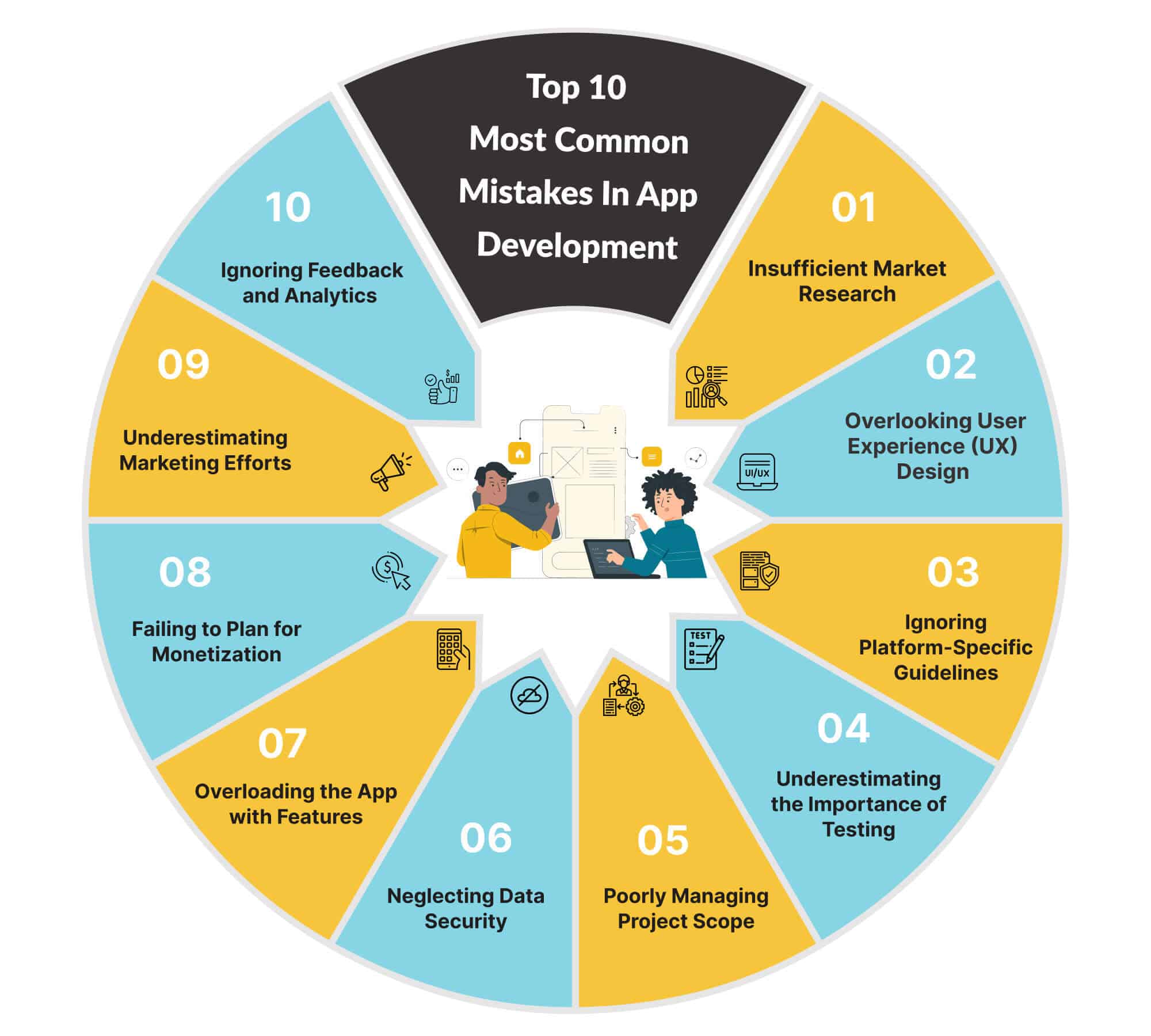
1. Insufficient Market Research
Before starting app software development, understanding the market is essential. Know your target audience. Developers often assume they know user needs. This is without doing thorough market research. Such an assumption can result in an app that fails to meet user expectations. It may also not address a specific problem.
Market research includes analyzing competitors. It is important to know existing offerings. This knowledge helps in identifying market gaps. It also highlights opportunities for standing out. Any app development project should begin with a clear idea of its unique value. This is its unique value proposition.
2. Overlooking User Experience (UX) Design
In mobile app development, user experience reigns supreme. Developers often err by making the design too complex. This complexity hinders user navigation. Your design philosophy should emphasize simplicity. A user-friendly and intuitive app boosts retention rates.
Design consistency matters too. This includes buttons, fonts, and colors. It enhances the look and usability. It also makes the app more recognizable to users.
3. Ignoring Platform-Specific Guidelines
Each mobile platform, like iOS or Android, has unique design rules. They also have specific technical needs. Not following these rules can make an app seem unsuitable. It might even get rejected by app stores. App development companies must pay attention to these platform-specific rules. This ensures apps work well on all devices.
4. Underestimating the Importance of Testing
Testing should happen continuously during development. It should not be left for the last moment. Developers often delay testing until the project is nearly complete. This approach can cause delays. It can also increase the project’s cost. Early testing helps find and solve problems sooner.
User testing is also essential. It shows how actual users use the app. This testing offers valuable information about user habits and likes. It allows for changes before the app goes public.
5. Poorly Managing Project Scope
In software development, managing scope is a major challenge. Adding extra features can cause scope creep. This affects both the project’s timeline and its budget. It is crucial to define the project scope clearly. Stick to this scope. Make changes only if they are essential. This approach helps control the project’s direction and costs.
6. Neglecting Data Security
In the digital world, protecting data is crucial. Mobile applications manage private information. This makes them attractive to cybercriminals. Without strong security, user safety and your business’s image could suffer. Encrypting data is key. So is coding securely. Regular checks on security are also necessary. These steps are vital in making apps.
7. Overloading the App with Features
Adding too many features to your app can cause problems. This issue, known as feature bloat, makes the app hard to use. Concentrate on the essential functions your users need. You can add more features later, based on what your users suggest.
8. Failing to Plan for Monetization
Creating an app without a monetization plan is often a mistake. A clear revenue strategy is essential. This can include in-app purchases, ads, or subscriptions. Such a plan is vital for your app’s lasting success.
9. Underestimating Marketing Efforts
Developing an excellent app is only the beginning. Its success depends on reaching users through marketing. Developers often overlook marketing’s value. This oversight leads to few downloads and little visibility. Implementing a detailed marketing plan is crucial. This plan should cover app store optimization (ASO), social media campaigns, and press releases. Such strategies greatly enhance your app’s chances of success.
10. Ignoring Feedback and Analytics
After your app goes live, monitoring its performance is crucial. Use analytics tools to understand how users interact with your app. These tools reveal trends in user behavior and app efficiency. Additionally, pay attention to user reviews. They provide important feedback for making your app better. Disregarding this data can result in your app becoming outdated. However, using this information wisely can promote ongoing enhancement and creativity.
Conclusion
Steer clear of ten typical errors in mobile app development to boost your app’s quality and success. Start with in-depth market study. Follow up with a reliable plan to make money. These phases are key in making an app. Building a mobile app involves constant learning, change, and enhancement. Always aim for high quality. Adopt ongoing enhancement. This approach helps your app excel in a crowded market.